
Blog
Router Bit Burning: Why Wood Burns and How to Stop It

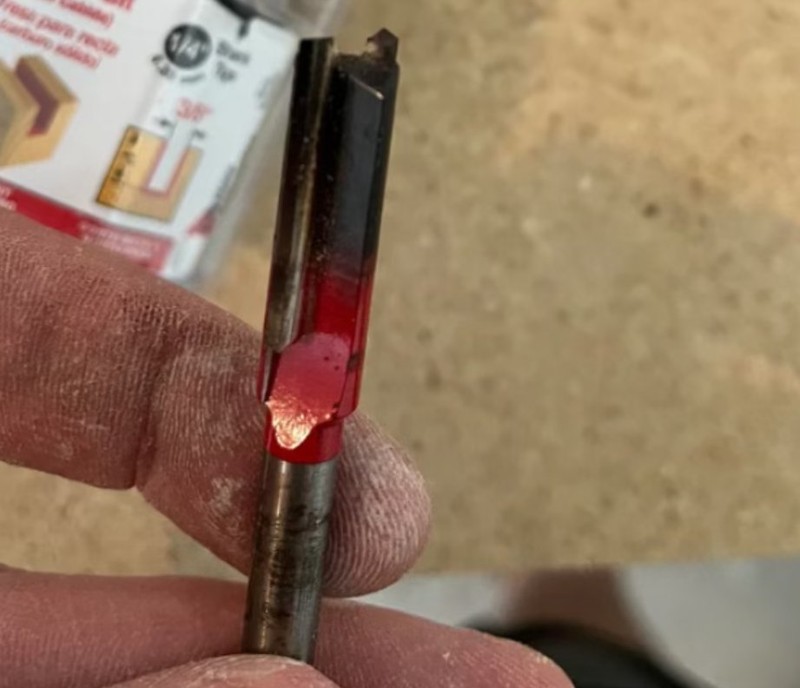
Router bit burning is one of the most common problems in woodworking. In short, the cause is friction heat. When a cutter rubs instead of slicing, that heat builds up fast. The wood then carbonizes and turns black. Moreover, the bit itself can discolor and lose its temper. Fortunately, almost every case traces back to a few root causes. This guide explains each one and gives you a practical fix.
Why Friction Turns Wood Black
Wood scorches when the cutting zone gets too hot. A sharp edge shears the fibers cleanly and carries heat away in the chip. A dull edge, by contrast, presses and rubs the surface. As a result, the fibers char and leave a dark mark. On the other hand, the same heat also attacks the cutter. Therefore, you should treat every burn as a warning sign, not just a cosmetic flaw. In fact, router bit burning always signals excess heat right at the edge.
A Dull Cutter Rubs Instead of Cutting
This is the number one cause, and it is also the easiest to overlook. A worn edge no longer cuts the wood. Instead, it grinds against it, and the friction spikes. Cheap no-name bits dull especially fast, so they burn quickly. Moreover, a single chipped flute can scorch a whole board. In addition, no amount of extra speed will fix a rounded edge. Next, replace or sharpen the cutter as soon as it drags. Meanwhile, buy reputable brands, because their edges hold up far longer.
Feed Speed That Is Too Slow
Pushing the router too slowly keeps the cutter in one spot. Consequently, the same area gets rubbed again and again, and the heat accumulates. However, racing through the cut is not the answer either. If you feed too fast, the cut turns rough and the load rises. Therefore, aim for a steady, moderate pace. In short, find the balance where the bit slices without lingering.
The Wrong Spindle Speed
Speed settings matter just as much as feed. First, an rpm that is too high raises the cutting temperature sharply. Second, an rpm that is too low turns the bit into a grinder, because it cannot cut efficiently. As a result, both extremes burn the wood. However, you can control this easily. Match the speed to the bit diameter and the hardness of the stock. Generally, large bits run slower, while small bits run faster.
A Single Pass That Is Too Deep
Cutting a deep groove in one pass overloads the cutter. Consequently, the resistance grows, and the heat climbs with it. Instead, take several shallow passes. As a rule, keep each pass under 3 to 5 mm, and go even lighter in hard wood. Meanwhile, let the bit clear the chips between passes. In this way, you protect both the wood and the cutting edge.
Wood and Glue That Carbonize Easily
Some materials burn more readily than others. For instance, resin-rich pine releases sticky resin under heat. That resin carbonizes and clings to the bit, which worsens the scorching. Similarly, the glue in some plywood chars at low temperatures and leaves black marks. Therefore, keep the cutter extra sharp on these materials. Moreover, feed a little faster, and consider urea-glue panel stock for critical work.
Poor Chip Clearance and Built-Up Resin
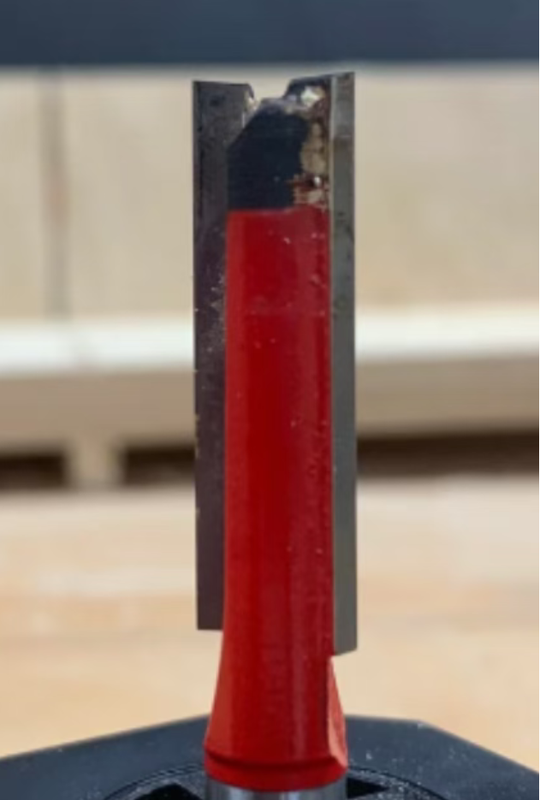
Chips that stay in the slot get cut twice. As a result, friction rises and the surface scorches. Over time, resin and dust also bake onto the bit as a hard carbon layer. That layer blocks heat transfer and dulls the edge. Therefore, clear the chips as you cut, and check the discharge direction. In addition, clean the bit regularly with a dedicated resin remover. In short, a clean cutter runs cooler.
Setup and Installation Faults
How you mount the bit affects heat as well. If the shank overhangs too far, the bit flexes and wobbles, and local friction spikes. Similarly, a dirty or off-center collet throws the cutter off balance. Therefore, insert the shank at least two-thirds of the way. In addition, keep the overhang short, and tighten the collet firmly. Above all, confirm the bit runs true before you begin.
Router Bit Burning: Quick Troubleshooting Checklist
Use this list to trace router bit burning fast. First, check the edge, and then work down the rows.
| Check | What to inspect |
|---|---|
| Bit sharpness | Look for a dull, rounded, or chipped edge |
| Feed speed | Confirm you are not pushing too slowly |
| Spindle speed | Verify it matches bit diameter and wood |
| Cutting depth | Check for a single pass that is too deep |
| Cleanliness | Remove resin and carbon from the flutes |
| Setup | Confirm tight clamping and a short overhang |
Fix the Top Three Causes First
In practice, three faults cause most router bit burning. A dull edge, a slow feed, and a deep pass account for the bulk of the problem. Therefore, check those three before anything else. In addition, keep the cutter clean and the setup rigid. Above all, pair your machine with sharp wood router bits from a trusted source. Finally, browse our full range of router bits to match the right bit to the job.